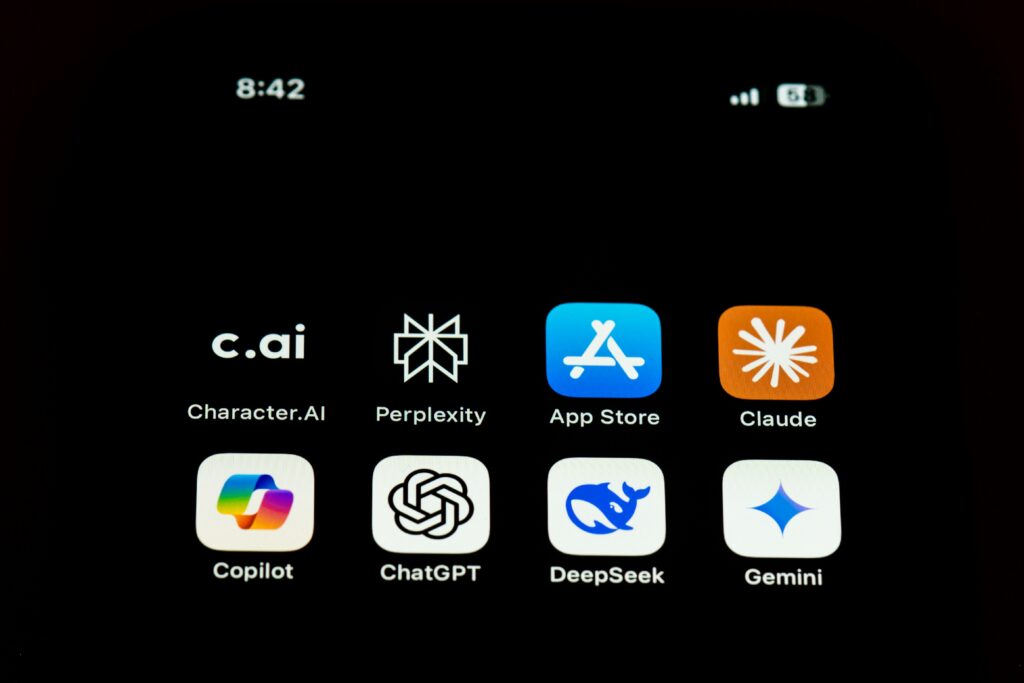
The best free AI tools can now help with writing, research, coding, design, studying, and everyday productivity. However, “free” rarely means unlimited. Most services restrict messages, advanced models, image generation, uploads, or usage during busy periods.
This guide compares 10 useful free AI tools for real-world tasks. We considered usefulness, ease of use, output quality, free-plan restrictions, and the type of user each tool suits best. Free features and limits can change, so always check the provider’s current plan before relying on a tool for important work.
Quick Comparison: Best Free AI Tools in 2026
| AI Tool | Best For | Main Free Limitation |
|---|---|---|
| ChatGPT | General writing, learning and brainstorming | Usage and advanced-feature limits |
| Claude | Long-form writing and document analysis | Limited free usage |
| Google Gemini | Google users and everyday assistance | Model and feature limits |
| Microsoft Copilot | Web-assisted answers and Microsoft users | Some features require sign-in or paid plans |
| Perplexity | Research with cited web sources | Very limited advanced searches |
| NotebookLM | Studying your own documents and sources | Notebook and generation limits |
| Canva AI | Social graphics and simple designs | Monthly AI-use allowance |
| Adobe Firefly | AI images and creative experiments | Limited free generations |
| Grammarly | Grammar, tone and rewriting | Limited generative AI prompts |
| GitHub Copilot | Programming assistance | Limited completions and chat requests |
How We Evaluated the Best Free AI Tools
Instead of choosing tools only because they are popular, we evaluated how well their free versions fit common real-world tasks:
- Usefulness: Does the tool solve a genuine everyday problem?
- Ease of use: Can a beginner start without technical training?
- Output quality: Are the results clear, relevant, and usable?
- Free-plan value: Can users accomplish meaningful work without immediately paying?
- Transparency: Are important restrictions and upgrade requirements reasonably clear?
No AI tool is accurate all the time. Important facts, calculations, citations, and professional advice should always be independently checked.
1. ChatGPT — Best Free All-Round AI Assistant
Best for: Writing, learning, brainstorming, summarizing, planning, and general questions.
ChatGPT is one of the easiest AI assistants for beginners. You can use it to explain difficult ideas, improve drafts, brainstorm content, create study plans, analyze uploaded material, and organize information. Depending on current availability, free users may also have access to web search, file uploads, and image-related features.
Main limitation: The free plan has usage limits, particularly for advanced models and tools. Availability can also vary during periods of high demand.
Example task: “Explain cybersecurity to a beginner using five real-life examples, then create a short quiz.”
If you are new to the platform, read our complete beginner’s guide to ChatGPT.
2. Claude — Best for Clear Long-Form Writing
Best for: Editing, long documents, structured explanations, and thoughtful writing.
Claude is particularly useful when you want natural-sounding writing or help organizing a complicated document. It can summarize material, improve clarity, compare ideas, generate outlines, and provide feedback on drafts.
Main limitation: Free usage is limited and can depend on message length, demand, and the features being used. Very large or repeated tasks may require waiting or upgrading.
Example task: Upload a draft and ask Claude to identify unclear paragraphs without changing your original meaning.
3. Google Gemini — Best for Google Users
Best for: Brainstorming, explanations, drafting, research assistance, and Google-related workflows.
Gemini is a practical choice for people already using Google products. It can generate ideas, summarize information, produce drafts, explain topics, and help structure everyday tasks. Some functions may be available without signing in, while more personalized features require a Google account.
Main limitation: Access to particular models and advanced features varies by account, location, age, and plan. Google also applies usage limits that may change.
Example task: Ask Gemini to turn rough meeting notes into an organized action list with deadlines and priorities.
4. Microsoft Copilot — Best for Web-Assisted Everyday Tasks
Best for: General questions, web research, brainstorming, summarizing, and Microsoft users.
Microsoft Copilot can answer questions using web information, help write or rewrite text, generate ideas, and assist with everyday planning. Signing in can provide a more personalized experience and access to additional features.
Main limitation: The free version is different from the paid Copilot features built into certain Microsoft 365 subscriptions. Do not assume every Word, Excel, or workplace feature is included for free.
Example task: Ask Copilot to compare several laptop specifications and create a simple list of advantages and disadvantages.
5. Perplexity — Best Free AI Research Tool
Best for: Finding information online with visible source links.
Perplexity combines an AI answer engine with web research. Its strongest feature is that it normally shows the sources used to construct an answer, making it easier to inspect the original information.
Main limitation: The standard free plan includes basic searches but provides only limited access to advanced searches, file uploads, premium models, and other specialist features.
Example task: “Compare the latest password-security recommendations from official cybersecurity organizations and show the sources.”
Source links are helpful, but they do not automatically make an answer correct. Open each important source and verify that it genuinely supports the claim.
6. NotebookLM — Best for Studying Your Own Sources
Best for: Students, researchers, notes, PDFs, and source-based learning.
NotebookLM is designed to work with sources you provide. You can create a notebook, add supported documents, and ask questions grounded in that material. It can help produce summaries, study guides, frequently asked questions, and other learning resources. Depending on availability, notebooks may also offer audio or visual overview features.
Main limitation: Source, notebook, question, and generation limits apply. Some higher-capacity features require an upgraded Google plan.
Example task: Add your course notes and ask for a revision guide containing key concepts, definitions, and practice questions.
7. Canva AI — Best for Quick Visual Content
Best for: Social posts, presentations, simple graphics, and beginner-friendly design.
Canva combines templates with several AI-assisted design features. It can help generate layouts, edit images, draft short copy, resize creative content, and turn basic ideas into polished visual material.
Main limitation: Free users receive access to selected AI features with usage allowances. Premium templates, assets, brand tools, and higher AI limits may require Canva Pro.
Example task: Create a clean Instagram graphic explaining three simple online privacy tips.
8. Adobe Firefly — Best for Creative AI Images
Best for: Generating images, testing visual concepts, and creative experimentation.
Adobe Firefly provides generative image and design features through a browser-friendly interface. It is useful for blog-image concepts, backgrounds, text effects, and visual experimentation without requiring advanced design knowledge.
Main limitation: Free accounts receive limited generations or complimentary usage. Continued or higher-volume creation may require a paid Adobe plan.
Example task: Generate a dark futuristic cybersecurity illustration for a blog header, without logos or readable text.
9. Grammarly — Best for Grammar and Tone
Best for: Correcting grammar, improving clarity, and polishing professional writing.
Grammarly’s free plan can identify spelling and grammar problems and help writers improve tone and readability. It is especially helpful for emails, reports, articles, applications, and users writing in English as an additional language.
Main limitation: More advanced rewrites and generative AI usage are limited. Some style, tone, and authorship features require a paid plan.
Example task: Use Grammarly to make an important email clearer and more professional while preserving its original message.
10. GitHub Copilot — Best Free AI Tool for Coding
Best for: Code suggestions, programming questions, debugging ideas, and learning development.
GitHub Copilot can suggest code while you type and provide chat-based programming assistance in supported development environments. The free plan is valuable for students, beginners, and developers who only need occasional assistance.
Main limitation: Free accounts receive a limited number of code completions and chat or premium requests. Copilot-generated code can also contain bugs, insecure patterns, or licensing concerns, so every suggestion needs review.
Example task: Ask Copilot to explain an error, suggest a correction, and create a basic test for the revised function.
Which Free AI Tool Should You Choose?
- Best overall option: ChatGPT
- Best for long-form writing: Claude
- Best for Google users: Gemini
- Best for cited web research: Perplexity
- Best for studying documents: NotebookLM
- Best for graphics: Canva AI
- Best for AI image experiments: Adobe Firefly
- Best for grammar: Grammarly
- Best for coding: GitHub Copilot
You do not need all 10 tools. Start with one general assistant and add a specialist only when it solves a specific problem. For example, combine ChatGPT for planning, Perplexity for research, and Canva for the final visual.
For a closer look at the leading general assistants, see our ChatGPT vs Claude vs Gemini comparison.
How to Get Better Results from Free AI Tools
- Clearly describe the result you want.
- Provide relevant background or source material.
- Specify the audience, format, length, and tone.
- Ask the tool to state uncertainty instead of guessing.
- Review the first result and request specific improvements.
- Verify important claims using trustworthy sources.
A clear prompt usually improves the answer more than switching between several tools. Our prompt engineering guide explains a simple process for writing better instructions.
Privacy and Safety Tips
- Never paste passwords, private keys, banking information, or verification codes into an AI tool.
- Avoid uploading confidential workplace, customer, health, or legal documents without authorization.
- Review the provider’s privacy and data-control settings.
- Check facts, quotations, calculations, and references before publishing.
- Scan generated code for security problems before using it.
- Do not treat AI output as professional medical, legal, or financial advice.
Frequently Asked Questions
Are free AI tools really free?
Yes, but most free plans have message, feature, model, upload, or generation limits. Providers may change these limits at any time.
Which free AI tool is best for beginners?
ChatGPT is a strong general starting point because it supports many everyday tasks through a simple conversational interface. Gemini and Microsoft Copilot are also approachable options.
Which AI tool is best for accurate research?
Perplexity is useful when you want visible web sources, while NotebookLM is helpful for questions based on documents you supply. Neither removes the need to inspect the original source.
Can I use free AI-generated content on my website?
You can use AI for assistance, but the final content should be reviewed, fact-checked, edited, and made genuinely useful. Avoid publishing unverified or generic output directly.
Can free AI tools replace paid software?
Sometimes they can handle occasional or lightweight tasks. Paid plans usually become useful when you need higher limits, advanced models, team features, integrations, or dependable daily access.
Final Thoughts
The best free AI tool is the one that reliably saves time on a task you actually perform. ChatGPT is a flexible starting point, Claude is strong for thoughtful writing, Perplexity helps with web research, NotebookLM supports source-based study, and Canva simplifies visual creation.
Choose one tool, learn how to prompt it clearly, and carefully review its output. Explore more practical tutorials and comparisons in our AI tools library.
Last updated: September 2026. Free plans, models, features, and usage limits may change after publication.